
Deleting Your Organization
Deleting your organization permanently removes it and all associated data from Notehouse.
This action is permanent and cannot be undone.
Table of Contents
- Who Can Delete an Organization?
- Before You Delete Your Organization
- Remove All Users First
- How to Delete Your Organization
- Important to Note
Who Can Delete an Organization?
Only the Owner can delete an organization.
Before You Delete Your Organization
Before deleting your organization, you are responsible for completing any required internal, legal, compliance, or HIPAA-related steps.
This may include exporting and securely storing any records, files, case notes, client information, or other data your organization is required to retain.
Notehouse cannot advise on your organization’s specific legal or compliance requirements. Please make sure your organization has completed any required steps before deleting the organization.
Remove All Users First
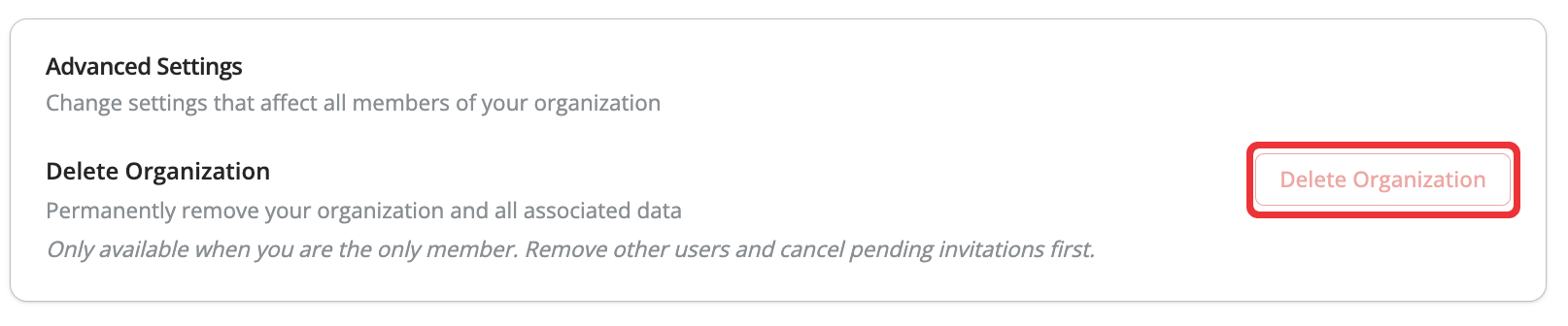
Before an organization can be deleted, all other users must first be removed from the organization.
If there are still users in the organization, you must remove them before you can use the Delete Organization option.
How to Delete Your Organization
- Go to Settings
- Open the Organization tab
- Scroll down to Delete Organization
- Follow the prompts to confirm deletion
Important to Note
Deleting your organization permanently removes all associated data from Notehouse, including files, notes, client information, and organization records.
Once deleted, your data cannot be recovered by our team.
Only delete your organization after you have exported and retained anything your organization may need.
For questions, contact us at support@getnotehouse.com.