
How to Reassign Case Managers
Sometimes responsibilities change. A team member may leave, shift roles, or no longer manage a specific client. In these cases, you can update the Assigned Manager for a case file.
Reassignments are done one case at a time and are separate from user removal, which allows bulk reassignment.
Table of Contents
Overview
- Case files can be reassigned individually.
- Only Owners and Admins can reassign case managers. Other users do not have permission to change the Assigned Manager.
- Client data, notes, and history remain intact.
- The change takes effect immediately.
- Clients can have only one case manager assigned at a time.
This helps maintain continuity while preserving the full case record.
How to Reassign a Case Manager
There are two ways to reassign a case file to a new case manager. You can reassign a case manager from the dashboard or from the client’s case record.
- Open the client record you want to update
- Locate the General Information section
- Click the pencil (Edit) icon
- Find the Assigned Manager field
- Select the new case manager from the dropdown menu
- Click Save
The case file is immediately reassigned to the selected team member.

To transfer clients from the dashboard, see the image below.
- Select the case file you want to reassign by clicking the checkbox beside the client’s name. Then click Actions.
- In the window that opens, click on the dropdown menu to select the new case manager.
- Confirm this reassignment by clicking Transfer.
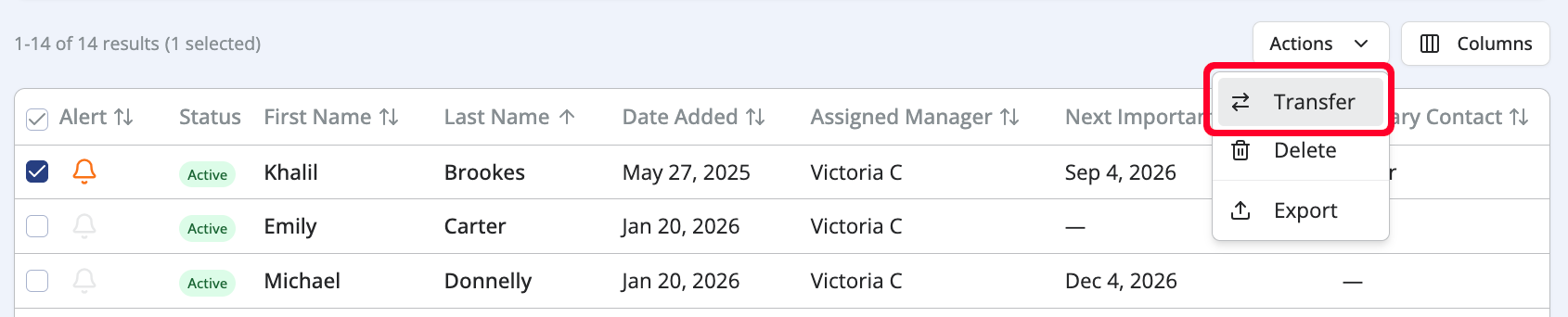
Note: The Transfer button on the dashboard is not visible if there is only one user in your organization.
Important Notes
- Transfers apply only to the selected client.
- The previous manager’s notes and activity remain attributed to them.
- No data is deleted or changed during reassignment.
If you encounter a technical issue that prevents reassignment, the Owner or Admin may contact support for assistance.
For questions, contact us at support@getnotehouse.com.